
Bilt Card Upgrades and Downgrades: How Product Changes Work and the 30-Day Trap
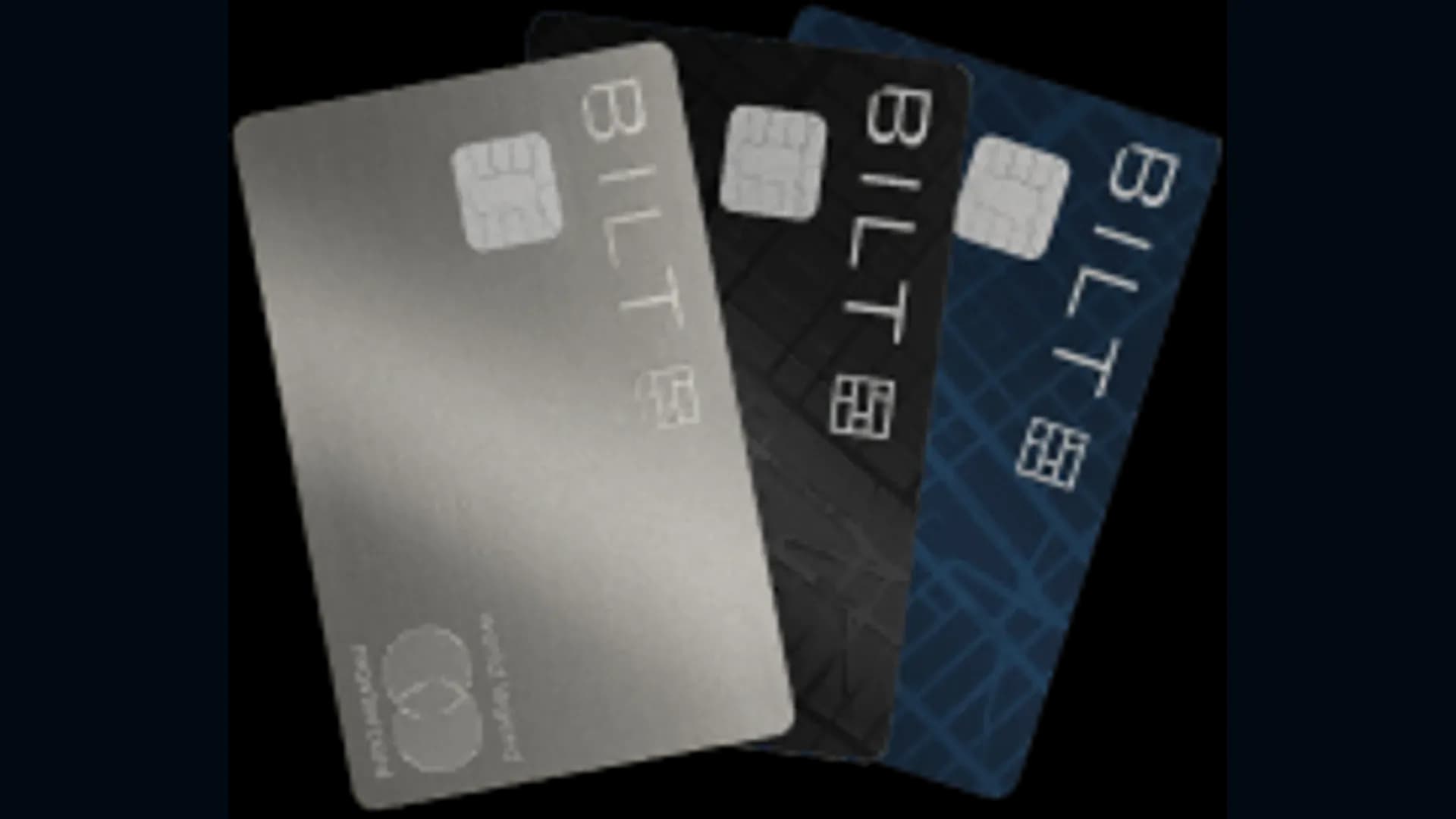
Bilt cardholders can now switch between the Bilt Blue, Obsidian and Palladium cards without closing their account or filing a new application. As of September 18, 2026, Bilt card upgrades are in beta for select cardholders and rolling out in phases, while downgrades from the Obsidian or Palladium Card are open now through Cardless support.
A product change keeps your account history, your Bilt Points and your card number, with no new hard credit inquiry. The catch sits on the downgrade side: switch within 30 days of your annual fee posting and your welcome bonus is clawed back.
Which Bilt cards you can switch between
Bilt Cards are issued by Column N.A. and serviced by Cardless. Moves go up or down the three-card lineup, and each path has its own channel.
| Current card | Upgrade to | Downgrade to | How to request |
|---|---|---|---|
| Bilt Blue Card ($0 annual fee) | Obsidian or Palladium, if eligible | Not applicable | Upgrade: Bilt app or website, Bilt Card settings |
| Bilt Obsidian Card ($95 annual fee) | Palladium, if eligible | Blue | Upgrade: Bilt app or website. Downgrade: Cardless support |
| Bilt Palladium Card ($495 annual fee) | Not applicable | Obsidian or Blue | Downgrade: Cardless support, (888) 533-5576 |
How a Bilt card upgrade works
Upgrades happen in the Bilt app or on the website. Open your Bilt Card settings and look for the upgrade option under the Account section. Eligibility is set card by card, so you may see an offer for Obsidian and none for Palladium. No offer means you are not eligible for that card right now. Bilt reviews eligibility regularly, so check back.
- First statement closed: upgrades are not allowed before it.
- One change per 12 months: counted from the date of your last product change.
- Primary cardholder only: authorized users move to the new card with you, and their fees adjust.
- Same-day processing: most upgrades complete the day you confirm, and new benefits apply right away.
- Same credit limit: it does not change with the card.
- Same card number: the new physical card gets a new expiration date and CVV, and the virtual card number keeps working.
What happens to the annual fee on an upgrade
Your statement shows two separate lines: the full annual fee of the new card, and a refund of the old card's fee. Both post about 45 days after the upgrade completes.
- Upgrade within 30 days of your current fee posting: full refund of that fee.
- Upgrade after 30 days: prorated refund for the unused part of your card year.
- Card anniversary: it moves to the end of the statement cycle that follows the new fee.
Upgrade bonuses
Some upgrades come with a bonus, shown in the app or on the website at the time of the change. The amount depends on the card you move to and differs from one account to the next, so take a screenshot of the offer before you confirm.
Obsidian cardholders moving to Palladium also get the difference in Bilt Hotel credit for the current semiannual period right away. If you already received the $50 Obsidian credit for the period and the Palladium credit for that same period is $200, you receive $150 now and the full Palladium credit each period after that.
How a Bilt card downgrade works
Downgrades go through Cardless support at (888) 533-5576. Support emails you a secure link, and you finish the change in the Bilt app after reviewing the new card's benefits, fee and terms. The Obsidian Card can move to Blue. The Palladium Card can move to Obsidian or Blue.
A completed downgrade cannot be reversed. Moving back up later counts against the limit of one product change per 12 months, and your card anniversary stays the same.
Downgrading after 30 days
Past the 30-day window, nothing is clawed back, but the fee you paid is not refunded either.
- Palladium to Obsidian: you keep the $200 annual Bilt Cash and your Bilt Hotel credit until your next anniversary. The $95 Obsidian fee is charged at that anniversary, not right away, and the hotel credit then drops to $100 a year.
- Obsidian or Palladium to Blue: no annual fee going forward, and no annual credits after your next anniversary.
- Welcome bonus: you keep the one you earned, and the new card issues none.
Which move makes sense
If you hold the Blue Card and your spending now justifies a fee, check the app for an upgrade offer first. You skip the hard pull and keep every point.
If your Palladium fee posted less than 30 days ago, do the math before calling Cardless. The $495 fee comes back, but so does the bill for your welcome bonus. Bilt Cash you already spent, on the Equinox partnership or on Blacklane chauffeur rides for example, still counts against your balance.
If the fee posted more than 30 days ago, the downgrade is clean. The fee is sunk, so it often pays to keep the higher card until the credits for the current year are used.
Bottom Line
Check your Bilt Card settings for an upgrade offer, and save any bonus shown before you confirm. Planning a downgrade? Count the days since your annual fee posted: inside 30 days you trade a fee refund for your welcome bonus, after 30 days you keep the bonus and absorb the fee. Your points move with you either way, so keep an eye on current transfer bonuses before you redeem them.
Can I upgrade my Bilt card without a new application?
Which Bilt cards can I upgrade to?
How often can I change my Bilt card?
Do I get a bonus when I upgrade my Bilt card?
What happens to my annual fee when I upgrade?
Do I lose my welcome bonus if I downgrade my Bilt card?
How do I downgrade my Bilt Palladium Card?
Do my Bilt Points carry over after a product change?

Our editorial integrity
Our reviews and rankings are based on an objective assessment. Advertisers do not influence our content. We may receive compensation through some links; our analysis and opinions remain independent.